
Check chunks
Use grid and coordinate views to line up farm boundaries accurately.
Slime farm planning
Enter a seed to check slime chunk coordinates and plan farm locations near bases, caves, villages, and transport routes.
Open the map and use chunk/grid overlays for farm planning.
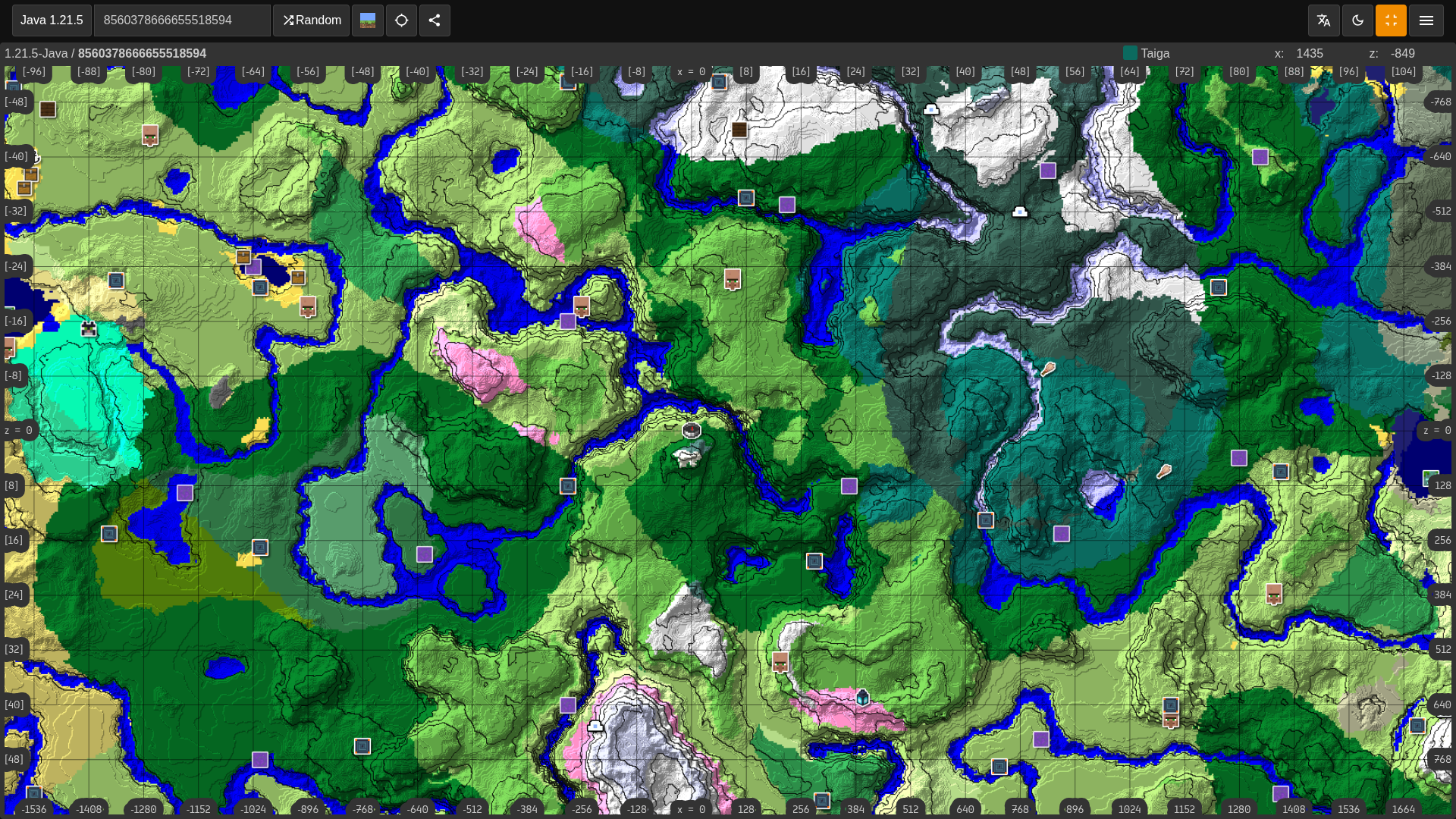
Use grid and coordinate views to line up farm boundaries accurately.
Choose chunks close to your base, storage, portals, or branch mines.
Use nearby terrain and structure context before committing to a large dig.
Entering a seed from this page opens the map in slime chunk mode first, so farm candidates are visible before other structure layers.
Slime farms depend on chunk boundaries. Use coordinates and grid lines to keep the farm inside the selected chunk area.
A slime chunk near your base, storage room, portal, mine, or trading hall is usually better than a faraway chunk with no route.
Chunk-based slime farms are not the only option. Use the biome finder to compare nearby swamps or mangrove swamps if that fits your world better.
Searches for Minecraft slime chunk finder, slime chunk finder from seed, slime farm chunk map, Java slime chunk finder, and Bedrock slime coordinates are usually about building a reliable slime farm without digging in the wrong place. This page starts the map with slime chunk visibility first.
After the map opens, zoom in and use the X and Z coordinates to line up your farm footprint. Mark chunk corners in-game before clearing space so the spawning platform stays inside the correct chunk.
For best results, also check caves, nearby bases, and travel routes. A perfect slime chunk that is hard to reach or hard to light up may be less useful than a nearby chunk you can maintain easily.
Finder Guide
Slime chunks are useful only when the farm footprint is exact. Use the finder to locate candidate chunks, then compare distance, chunk borders, spawn-proofing work, storage routes, and nearby bases before digging a permanent slime farm.
Start by zooming in enough to read chunk borders clearly. A slime farm that spills outside the selected chunk can lose efficiency, so the exact block range matters more than the approximate center point.
A good slime chunk is close to a base, storage room, mine, portal, or trading area. It should also be practical to light up, spawn-proof, and access repeatedly because slime farms are maintenance projects as much as coordinate targets.
If slimes do not spawn, check the seed, edition, chunk boundary, Y level, lighting, mob cap, nearby caves, and simulation distance. The map can identify the chunk, but the farm still needs correct in-game spawning conditions.
Players searching for slime chunk finder from seed, slime farm chunk map, Java slime chunk finder, Bedrock slime coordinates, or slime farm finder usually want reliable slimeballs without clearing a giant area in the wrong chunk.
Use the form with the exact seed value from your world. When you submit this page, Minesite opens a shareable seed map route with slime chunk overlays prioritized for slime chunks, so you can inspect the most relevant result first and then turn on other layers when needed.
Use the map coordinate to mark chunk corners in-game before excavation. Place temporary blocks on the boundaries, verify the 16 by 16 footprint, and keep platforms inside the selected chunk instead of relying on memory while digging.
Compare chunk-based farms with swamp or mangrove swamp options. A nearby swamp may solve early slime needs faster, while a chunk farm is better for long-term production once you can handle excavation and spawn-proofing.
Java and Bedrock slime behavior, spawning distances, and farm design advice can differ. Select the edition that matches your world and use a farm design made for that edition instead of copying a build blindly.
Before fully clearing a chunk, test a small platform or verify the area with your chosen farm guide. Saving the URL and coordinates makes it easier to return after gathering tools, beacons, lighting blocks, and storage supplies.
Use the biome finder to check swamp alternatives, the village finder for nearby trading and iron support, and the seed map viewer when you want to inspect caves or other structures around the farm area.